NoveLauncher icon

Your home screen,
arranged by how you actually use it

NoveLauncher ranks and groups your apps from your real usage — what you open, when, and how often. All of it runs on your device. No account, no server, no analytics, no ads.

Free · No ads · No in-app purchases · Android 8.0+

Everything, without the tracking

A full-featured launcher whose intelligence never leaves your phone.

🧠

Suggestions that learn

Apps ranked by recency, frequency, time of day and category. "Recommended now" also learns from which suggestions you actually tap — computed locally, every time.

📁

Smart folders

Automatic grouping into 11 categories. No manual sorting, no dragging icons around.

💼

Work profile & Private Space

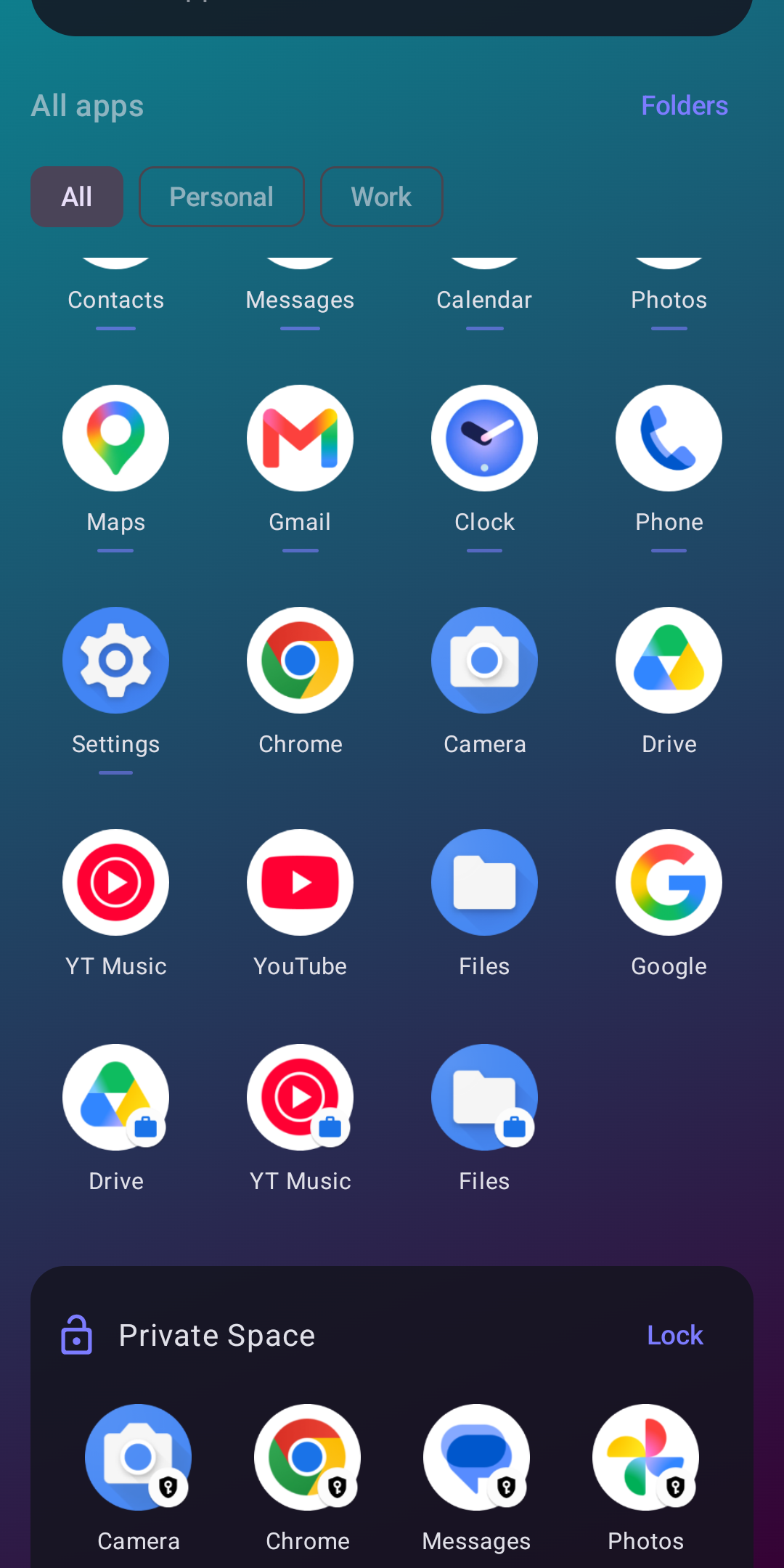
Work apps with their badge and a pause switch. Android 15's Private Space gets its own lockable section — never mixed into suggestions.

⚡

App shortcuts

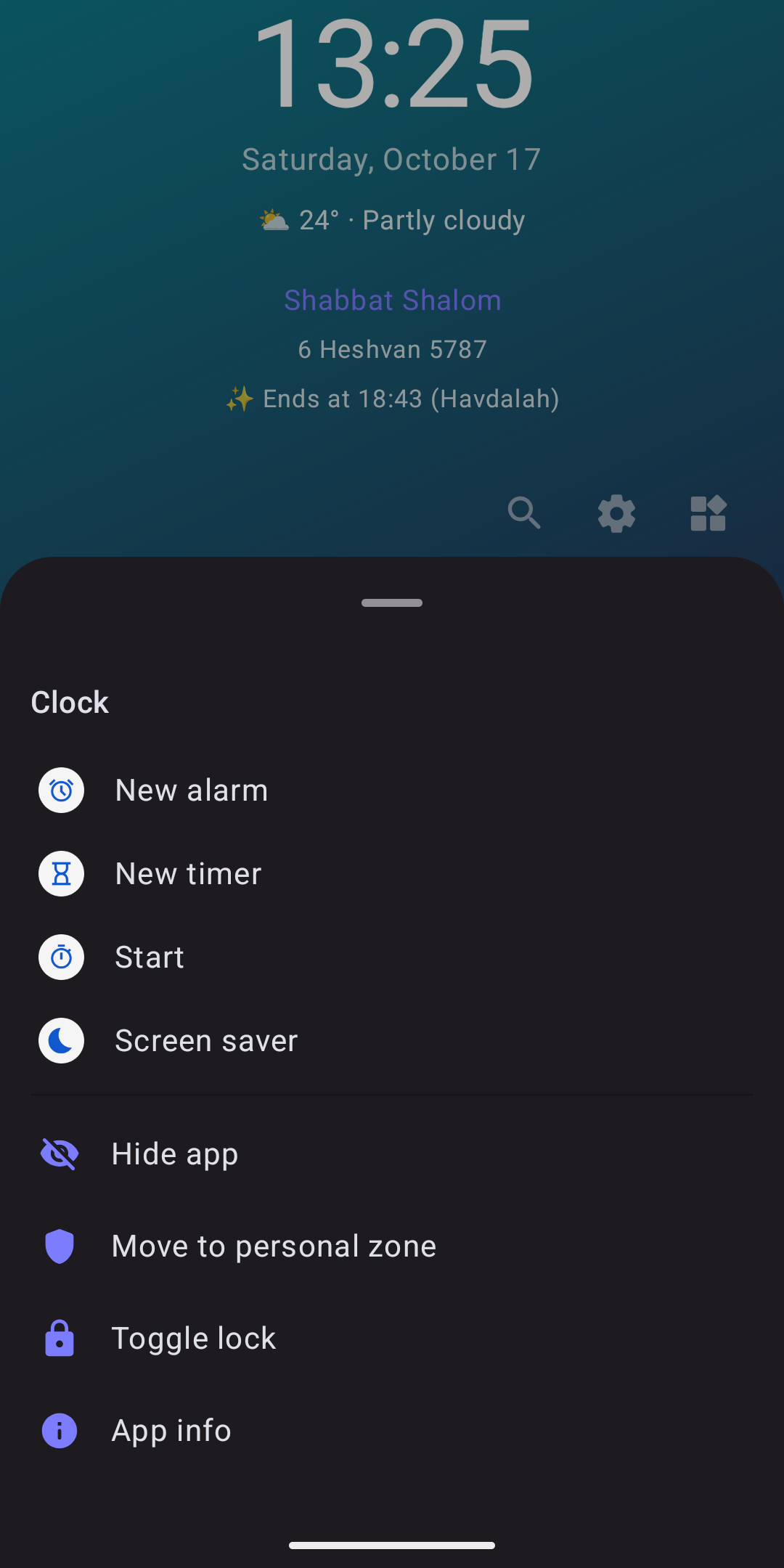
Long-press an app for its own shortcuts — a new message, a saved route — right from the home screen.

🔍

Smart search

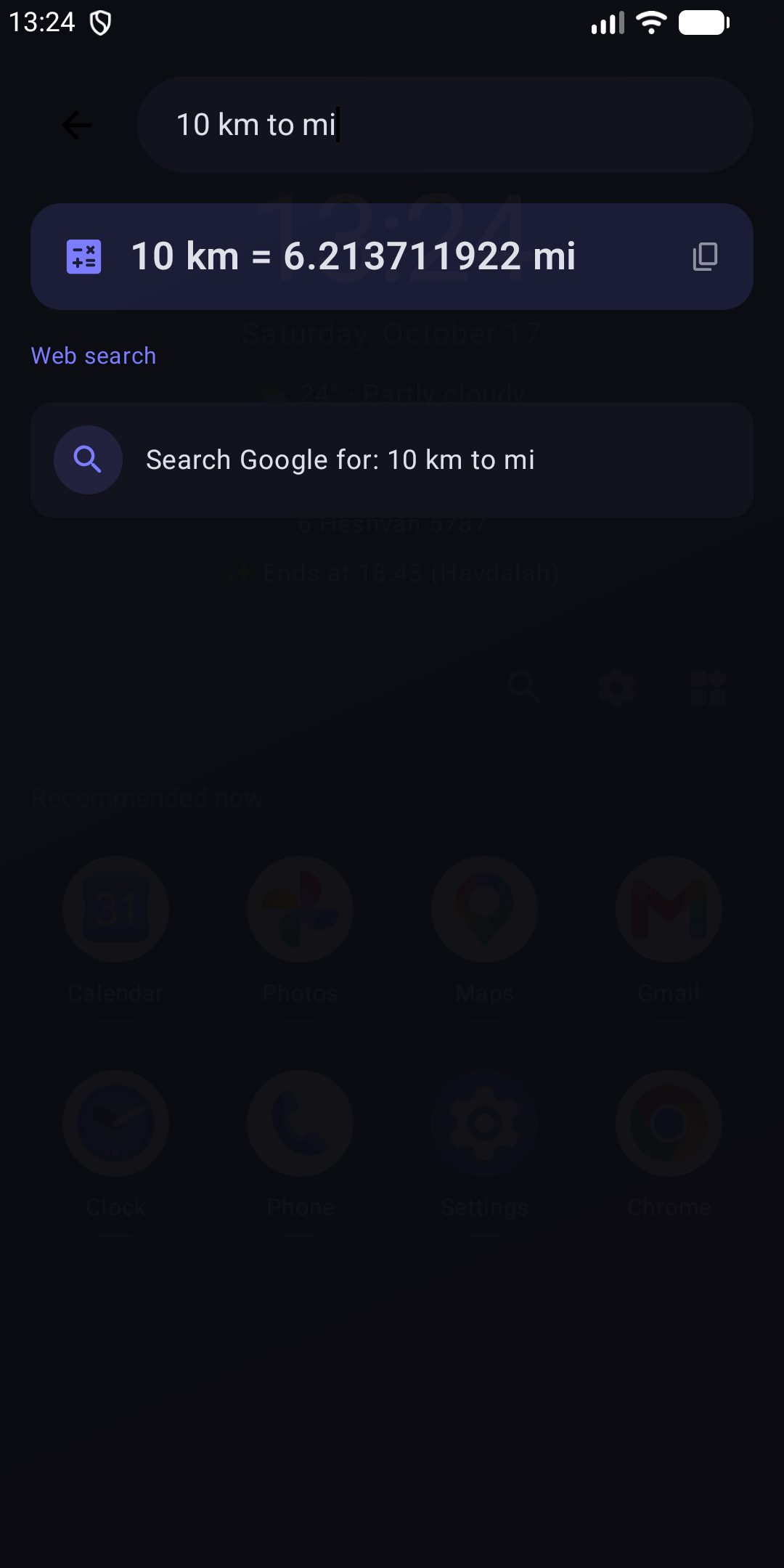
Apps, contacts and settings in one box. Hebrew ↔ English matching, typo tolerance and initials, plus a calculator and unit conversion.

🕯️

Jewish calendar & Shabbat mode

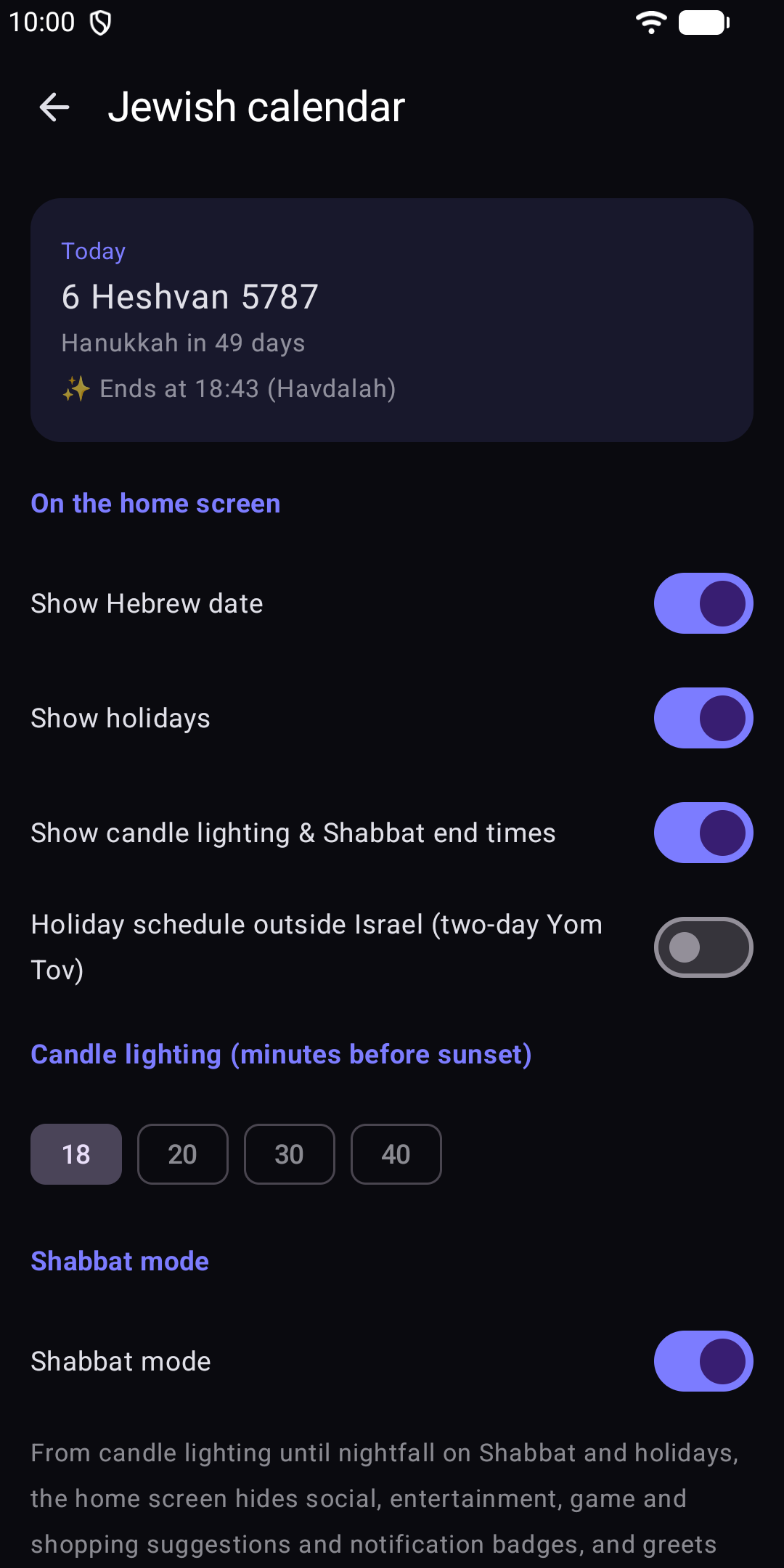
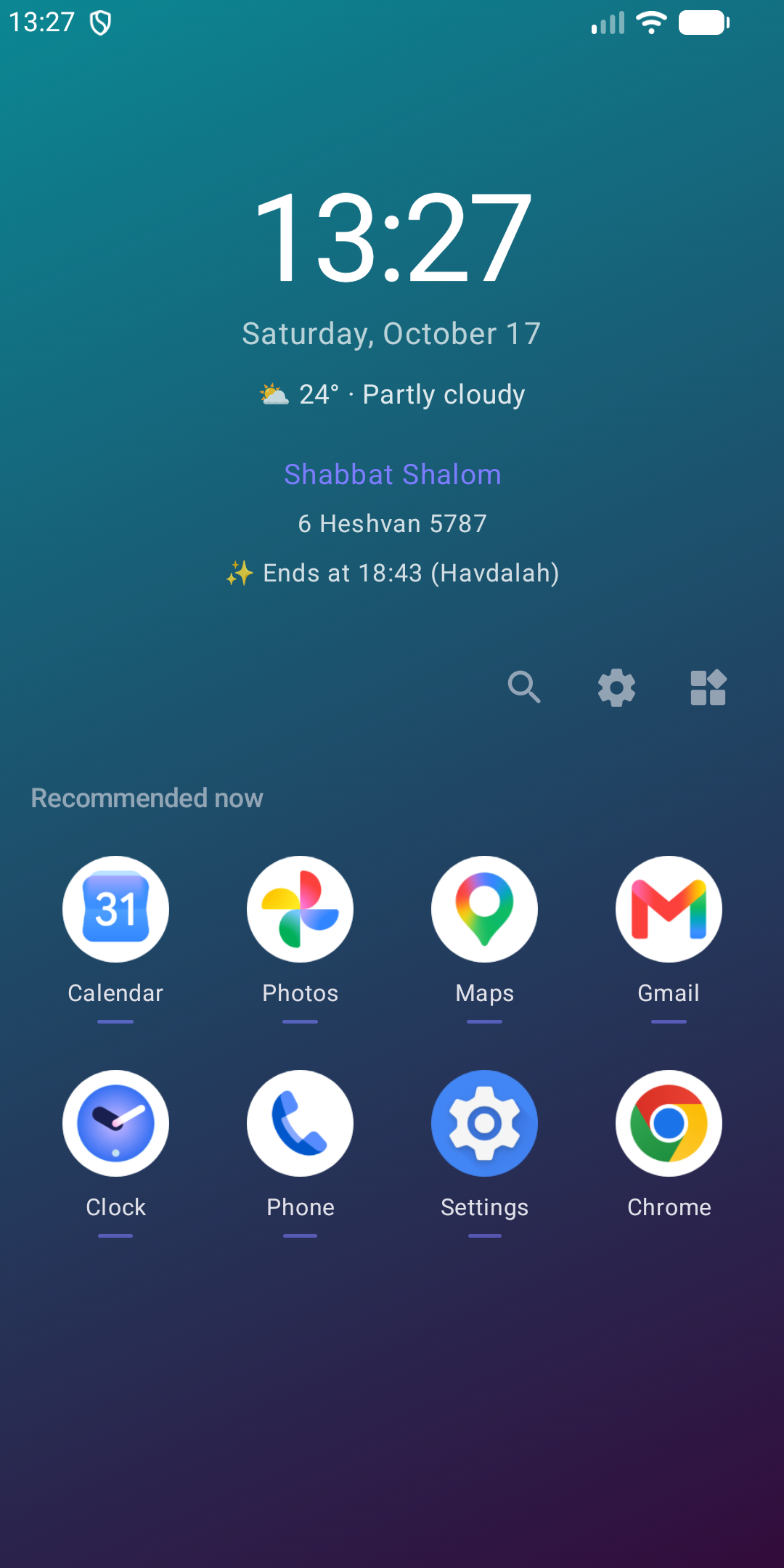
Hebrew date, holidays, candle-lighting and Havdalah times calculated on the phone. Shabbat mode hides distracting suggestions and badges.

🖼️

Wallpapers

Your photos or built-in gradients — one for all, per page, by hour, by weekday, or your live wallpaper — with colour and blur controls.

👆

Gestures

Swipe up for apps, swipe down for notifications, double-tap to turn the screen off.

🎨

Deep theming

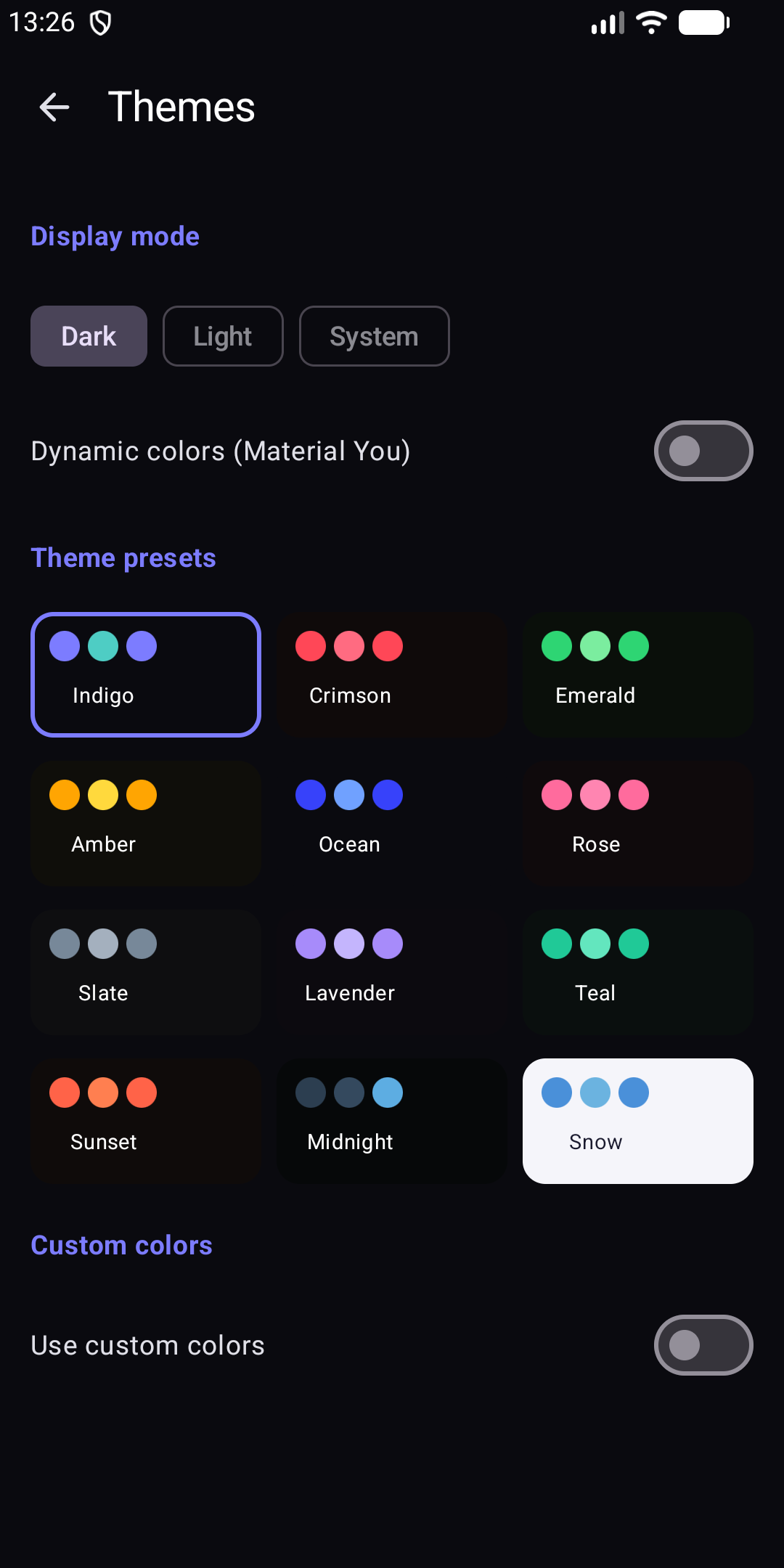
12 colour presets, Material You, custom colours, 16 fonts and 12 icon shapes.

🧷

Icon packs

Apply any Nova, ADW or Lawnchair-compatible icon pack. Apps it doesn't cover keep their own icon.

🔒

App lock

PIN, password, pattern or biometric lock per app, plus a private folder and hidden apps.

🌍

Seven languages

Hebrew, English, Arabic, French, Russian, Spanish and German — fully right-to-left aware.

💾

Backups you control

On the phone or on your own NAS — scheduled, and optionally password-encrypted.

📰

News feed

Built-in sources plus any RSS feed you add yourself. The last stories stay readable when you're offline.

📊

Usage statistics

Screen time and per-app usage by day, week or month, read from Android on your device — never uploaded.
A look inside

Real screenshots from the shipping build — not mockups.

Home screen with the Hebrew date, Shabbat times and recommended apps Search with an instant unit-conversion answer Long-press app shortcuts App drawer with work apps and Private Space Jewish calendar and Shabbat mode settings Theme and colour presets

Private by construction

Not a promise in a policy document — an architectural choice.

  • Nothing is collected. No analytics, no telemetry, no crash reporting in shipped builds, no account, no ads.
  • Usage data stays local. App usage is read from Android and processed on your device; what suggestions learn stays in a local database.
  • Four features use the network — nothing else does. Weather asks Open-Meteo for the current conditions, sending approximate coordinates only if you grant location (a default city otherwise). The News page fetches the RSS feeds you enable. Backups go to your own NAS, only if you choose one. And an update check, off by default, asks GitHub at most once a day whether a new release exists.
  • Your backups are yours. On the phone or on your own NAS, optionally encrypted with a password only you hold.
  • Helpers that can't snoop. Jewish-calendar times are calculated on the phone. The optional gestures accessibility service performs two actions — screen off, open notifications — and cannot read your screen.
  • Auditable. The full source is published so you can verify all of the above yourself.
On app lock, honestly: the app lock, private folder and hidden apps are a deterrent, not a sandbox. A locked app is still reachable from recents, notifications, another launcher or ADB — true of every third-party launcher. For real isolation, use Android's built-in Work Profile or Private Space (Android 15+) — both supported by NoveLauncher.

Get NoveLauncher

Download the signed APK from GitHub Releases. Every release is signed with the same key, so updates install cleanly over each other.

Get it on Obtainium

Want automatic updates? Obtainium installs NoveLauncher straight from GitHub Releases and keeps it up to date. Add https://github.com/DrummingBird1/NoveLauncher as an app, or open it in Obtainium if it's already installed.

📱 Android 8.0 (API 26)+ 💾 ~25 MB 🆓 Free, no ads, no IAP